Oasis College Planning · Kickstarter Module
Give students a complete college-planning “control center” in under an hour.
The Oasis Kickstarter walks students through setting up the digital tools they need for the entire admissions journey—email, cloud folders, sharing, and security—so every resume, essay, and form lives in one well-organized system.
- Step-by-step onboarding inside the Oasis Resume Builder App.
- Clear checklists for students, counselors, and parents.
- Covers Gmail, Google Drive, folder structure, sharing, and 2-step verification.
- Connects directly to the Activities Dashboard, My Tasks, and more.
$99 lifetime access
$499 regular lifetime price
Limited-time founding offer for early Oasis College Planning partners.
One-time payment · Includes all current features of the Kickstarter + future updates.
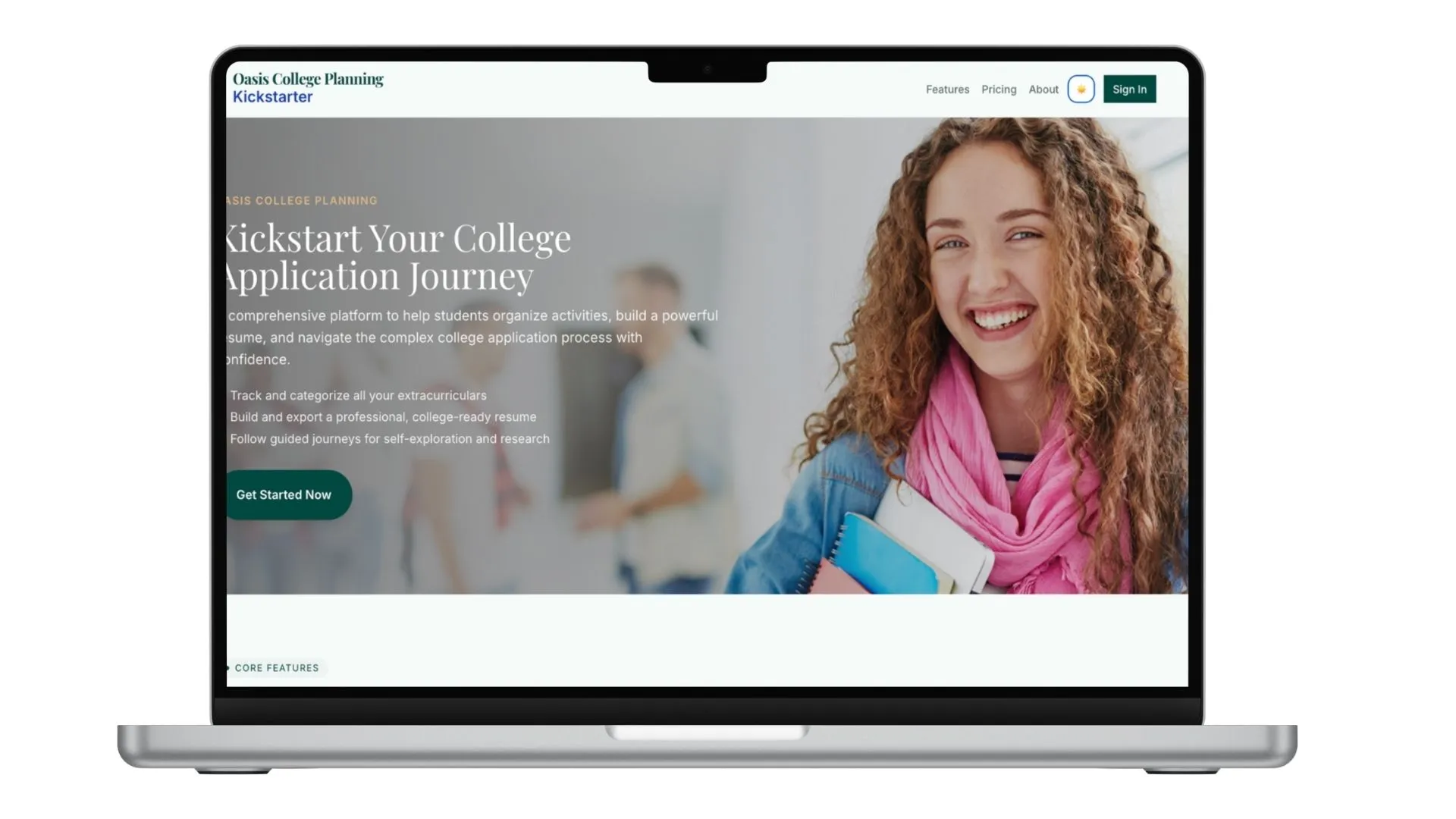
What’s inside the Oasis Kickstarter?
The Kickstarter is not just a checklist—it’s a guided, repeatable process you can use with every student to get them technically ready for applications and college planning.
Kickoff Guide & Orientation
A simple overview that explains why digital setup matters. Students see how their email, folders, and security connect to every step of the college process.
- One-page overview
- Key goals and expectations
- Helps advisors frame the program
Professional Gmail Setup
Guided instructions for creating a college-ready Gmail account and connecting it to recovery methods so students never lose access.
- Recommended email formats
- Password + recovery best practices
- Single inbox for all college communication
Google Drive & College Folder System
Students build a clean folder structure in Google Drive that becomes the home base for all college files.
- Master folder (e.g., “School Portfolio 2026”)
- Subfolders for resumes, essays, etc.
- Clear naming conventions
View-Only Sharing
Students learn how to share their portfolio folder as view-only, so adults can monitor progress without accidentally editing files.
- Step-by-step sharing walkthrough
- “Anyone with the link → Viewer”
- Copy-link workflow
Account Security & 2-Step Verification
A quick security upgrade that protects access to every document connected to college planning.
- Guided path to Google’s Security settings
- Turn on 2-Step Verification
- Backup codes and recovery reminders
Connected to the Oasis Resume Builder
The Kickstarter feeds directly into the rest of the Oasis system, so setup work turns into real progress: activities, tasks, and planning.
- Ready for the Activities Dashboard
- My Tasks pulls to-dos from all modules
- Resources Hub links support each step
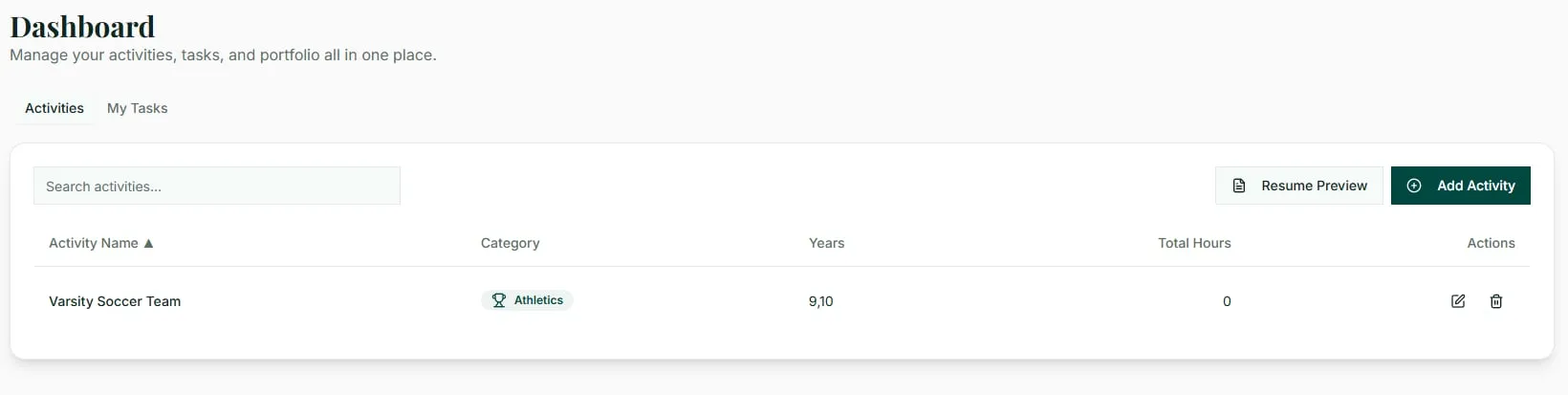
Activities Dashboard & Resume Builder
Once students are digitally set up, they can immediately begin building their Activities List and resume inside Oasis. The system is designed to match how applications actually read activity entries.
- Add activities with fields for role, grade levels, and hours.
- See total hours calculated automatically.
- Use action-verb prompts to write strong, application-ready bullet points.
- Instantly generate a formatted resume draft from the dashboard.
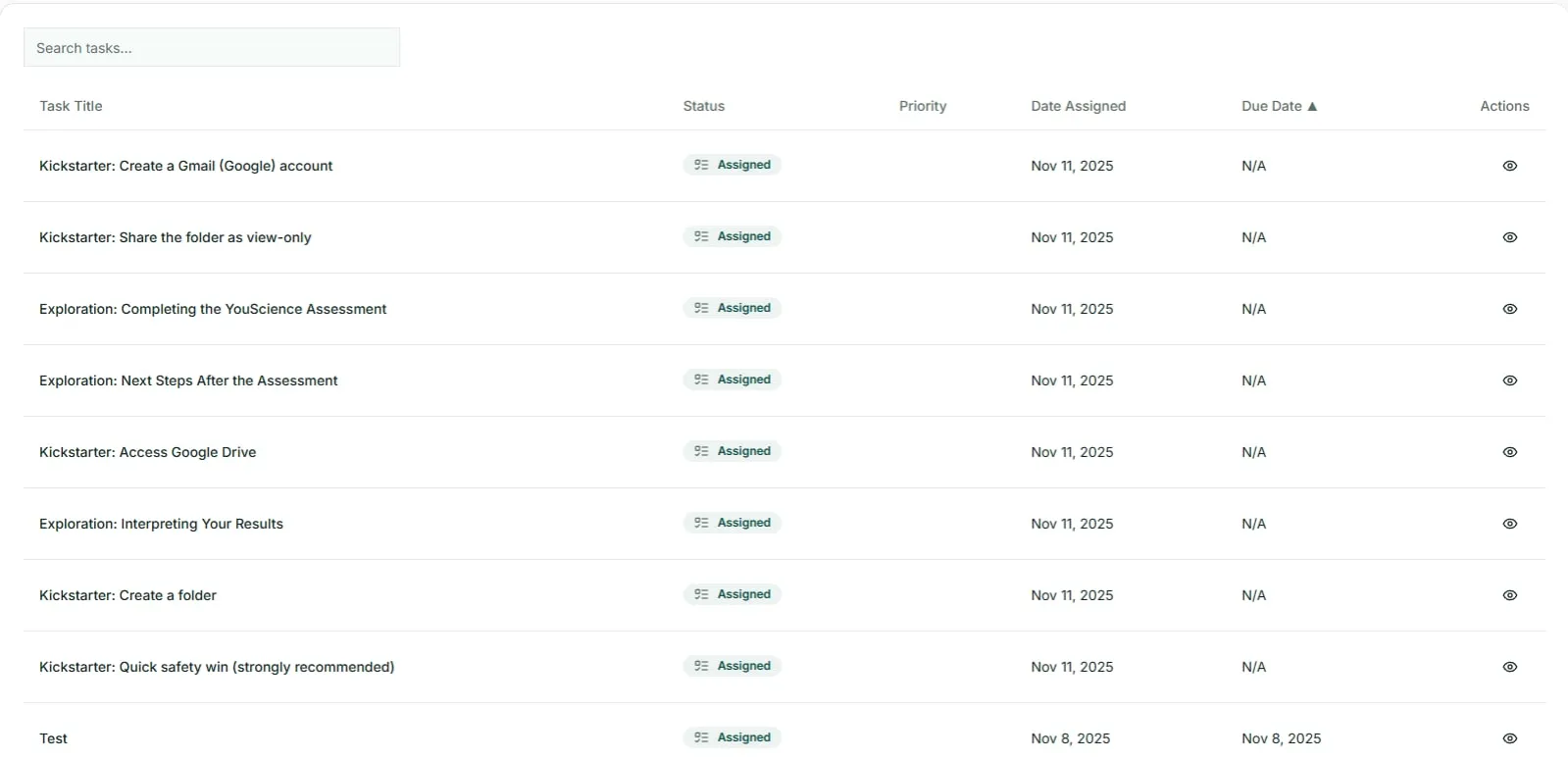
My Tasks – One Checklist for Everything
Instead of scattered reminders, My Tasks pulls essential actions from multiple modules so students know exactly what to do next.
- Kickstarter setup tasks (email, folders, sharing, security).
- Activities to add or refine in the dashboard.
- Future tasks from Self-Exploration, College Search, and Affordability planning.
- Simple status states: Not started, In progress, Completed.
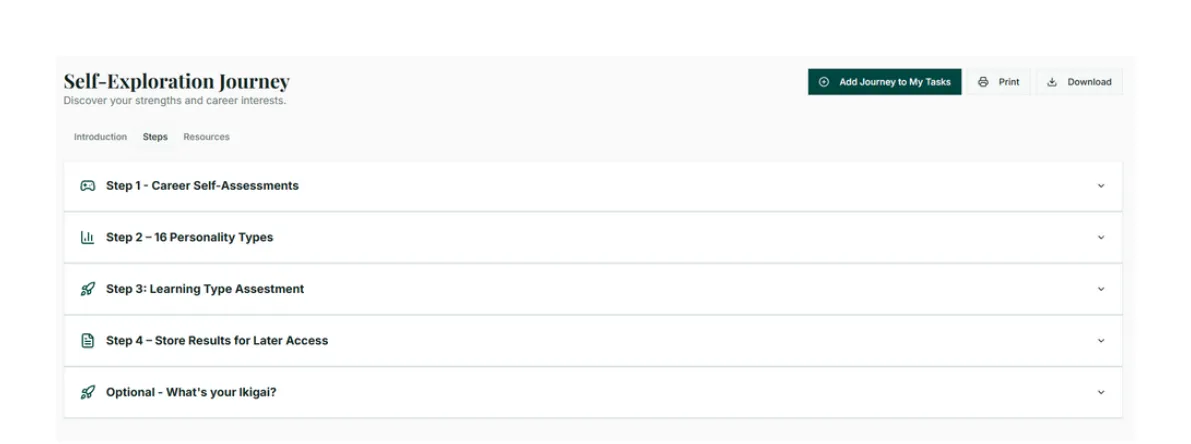
Self-Exploration Journey
The Kickstarter prepares the system; Self-Exploration prepares the student. This guided path connects aptitude and interest insights to college majors and career ideas.
- Step 1 – Take an interest/aptitude assessment to identify your strengths, themes, and possible career matches.
- Step 2 – Use your personality type to understand your natural preferences and how they show up in school, relationships, and future goals.
- Step 3 – Discover how you learn best so you can study smarter, set better goals, and explore pathways that fit your style.
- Step 4 – Save your results and reflections in one organized place so you can revisit them as your interests and plans evolve.
- Optional – Connect what you love, what you’re good at, and what helps others to explore meaningful direction and purpose.
Frequently Asked Questions
What exactly do I get for $99?+
You get lifetime access to the Oasis College Planning Kickstarter module and its connected starter features: the guided digital setup (email, folders, sharing, security), plus integration with the Activities Dashboard, My Tasks, Self-Exploration Journey, and Affordability & Resources Hub. Any future improvements to the Kickstarter flow are included in this lifetime license.
Is this really a one-time payment?+
Yes. The $99 offer is a limited-time lifetime license (regular lifetime price is $499). There are no monthly fees for this Kickstarter module once purchased.
Who is the Oasis Kickstarter designed for?+
The Kickstarter is designed for high school students and the adults supporting them: counselors, school programs, CBOs, and private college planners. It gives everyone a shared digital structure to work from before applications start.
Do students need any technical skills to use it?+
No advanced skills are required. The module walks students through each step with plain language and screenshots you provide—click here, type this, check this setting. Most students complete the setup in 30–45 minutes.
Ready to Get Started?
Give your students the tools they need to succeed in the college application process.